
MCP Module
The Model Vista MCP Module is a separately licensed Module that connects an AI assistant to a running Model Vista application through the Model Context Protocol (MCP). Ask the assistant to inspect models, select Model Vista States, adjust the scene, or capture the current view.
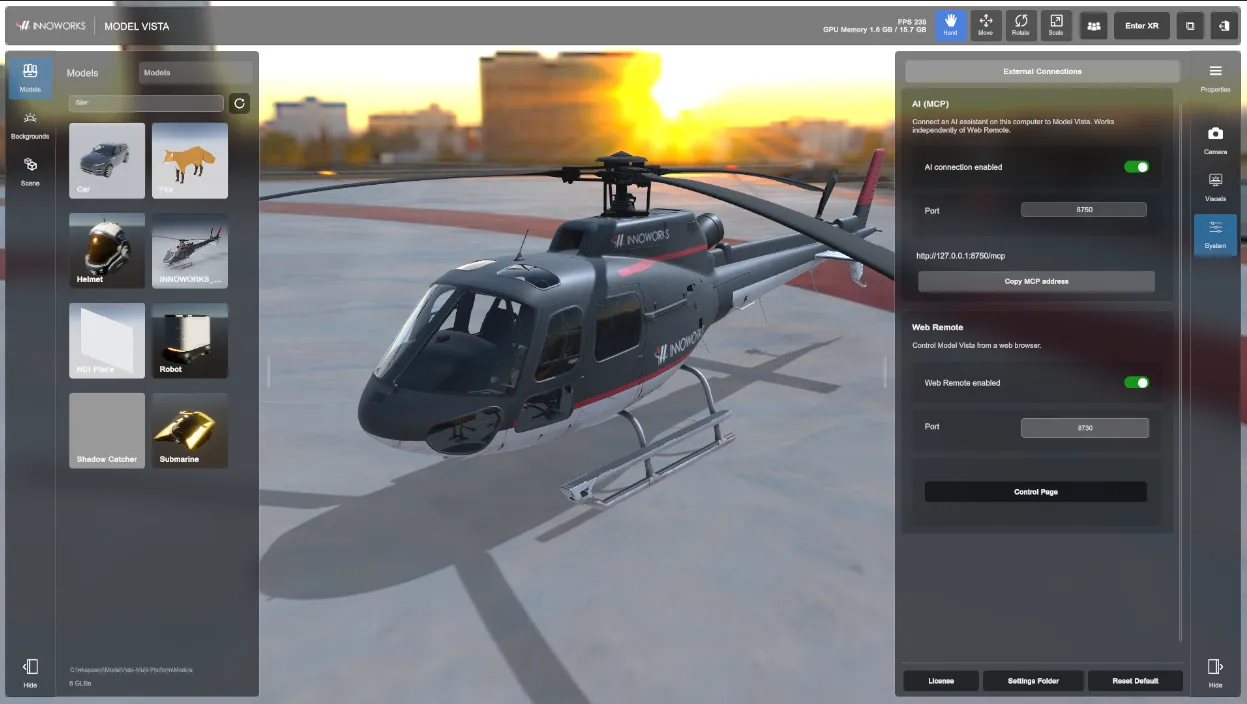
The application labels the connection AI (MCP) under System > External Connections. It works independently of Web Remote.
Requirements
Section titled “Requirements”Compatible Model Vista Versions
Section titled “Compatible Model Vista Versions”| Application | Compatible versions |
|---|---|
| Model Vista for Windows, HDRP desktop and XR | 2.0.6 with the MCP Module |
Additional Requirements
Section titled “Additional Requirements”- An MCP Module entitlement enabled under System > License, where it is listed as AI (MCP).
- An AI client with Streamable HTTP MCP support, running on the same computer as Model Vista.
- A running Model Vista session and access to the models and backgrounds you want to review.
The MCP Module does not grant licenses for other Modules. Their controls remain subject to the corresponding entitlement and runtime availability.
Quick Start
Section titled “Quick Start”- Enable the connection and configure your AI client.
- Ask the assistant to list loaded models without changing the scene.
- Load a model and choose a State using names returned by discovery.
- Work with views and XR or capture the current application view.
- Check the returned state after each requested change.
Use the application tool reference for common tasks, the Variable Exposer reference for additional runtime controls, and troubleshooting for connection or operation failures.
Model Vista is an INNOWORKS product.