
Presentation Controls And Shortcuts
Presentation Controls
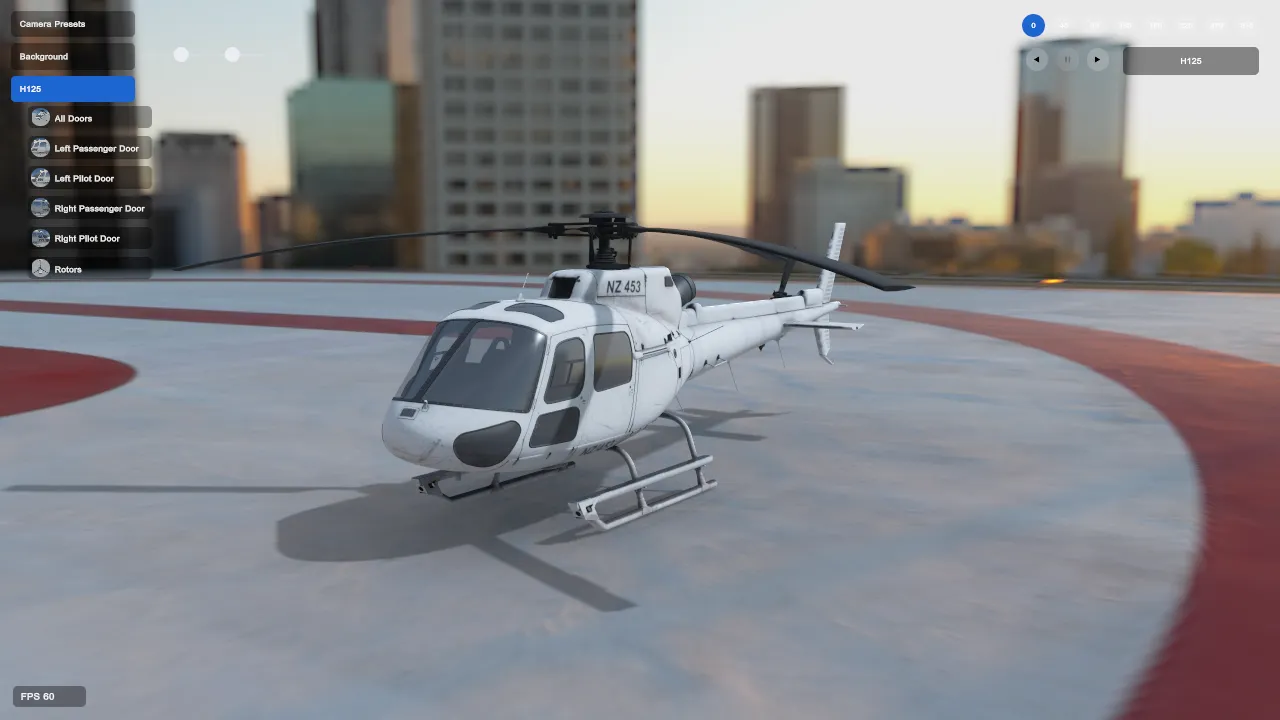
Section titled “Presentation Controls”Enable Show Presentation Controls on the Turntable page to expose compact controls outside the main browser panels.
The overlay contains:
- angle buttons from
0through315degrees in 45-degree increments; - reverse play, pause, and forward play controls; and
- a model selector for changing the assigned loaded model.
The presentation controls are intended for desktop presentation while the main interface is hidden. They follow the current Turntable assignment, speed, rotation, and offset settings.
Default Keyboard Shortcuts
Section titled “Default Keyboard Shortcuts”When a text field is not focused, the default Turntable shortcuts are:
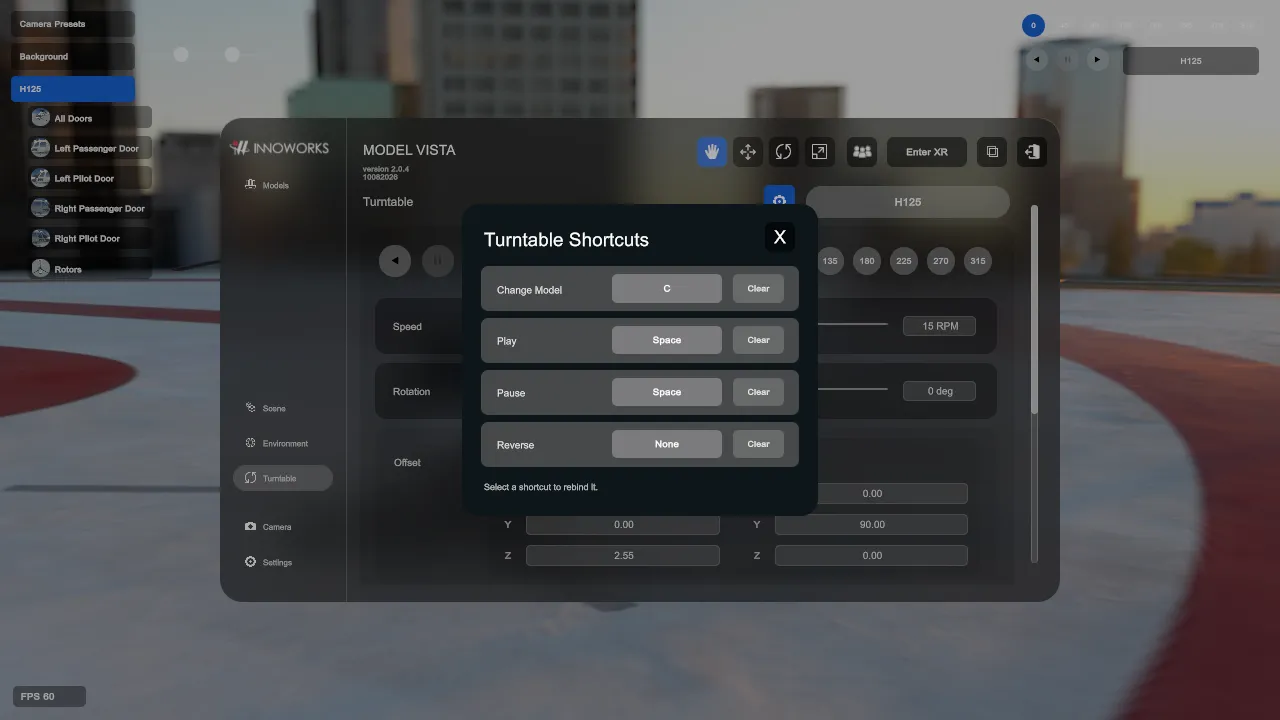
| Action | Default shortcut |
|---|---|
| Change Model | C |
| Play | Space |
| Pause | Space |
| Reverse | None |
Play and Pause intentionally share Space; the action changes according to the current playback state.
Reverse has no default binding. Assign a key in Turntable Shortcuts when you want keyboard control for reverse playback.
Rebind Or Clear A Shortcut
Section titled “Rebind Or Clear A Shortcut”- Open Turntable Shortcuts from the shortcut control beside the Turntable model selector.
- Select the shortcut value for Change Model, Play, Pause, or Reverse.
- Press the replacement key.
- To remove a binding instead, select Clear beside that action.
Shortcut bindings persist with the other Turntable preferences in Settings/ModelVistaTurntableSettings.json.
Model Vista is an INNOWORKS product.