Metadata And Asset Thumbnails
Use ModelVistaMetadata to attach string key/value metadata to an exported object. Metadata is serialized into the INNOWORKS_configurables extension and restored on import.
Use ModelVistaAssetThumbnail to provide an asset-level thumbnail for lightweight browsing before a GLB is imported. Configurables and individual Model Vista options can also carry thumbnails.
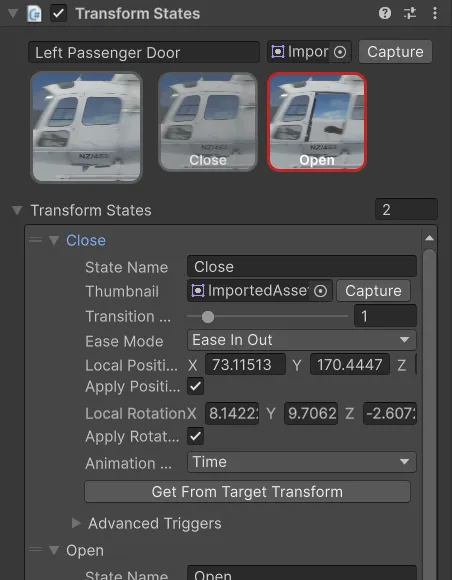
The custom inspectors include thumbnail capture helpers that capture the active Scene view and assign the result to the selected thumbnail field. Frame the Scene view deliberately before capture and review the assigned image before export.
Export embeds thumbnail data with the GLB+ content. Editor import restores generated thumbnail assets below the import destination’s Thumbnails folder. Runtime browsers, import tools, and review applications can then show meaningful previews before or while users inspect the full model.