
Annotations and AI Enhance
Draw an annotation
Section titled “Draw an annotation”- Open Annotate on the right rail.
- Enable Pen annotation.
- Choose a preset color or use Custom pen colour.
- Set Pen width.
- Draw with the pointer over the 3D view.
- Use Use eraser, Clear, Undo, or Redo as needed.
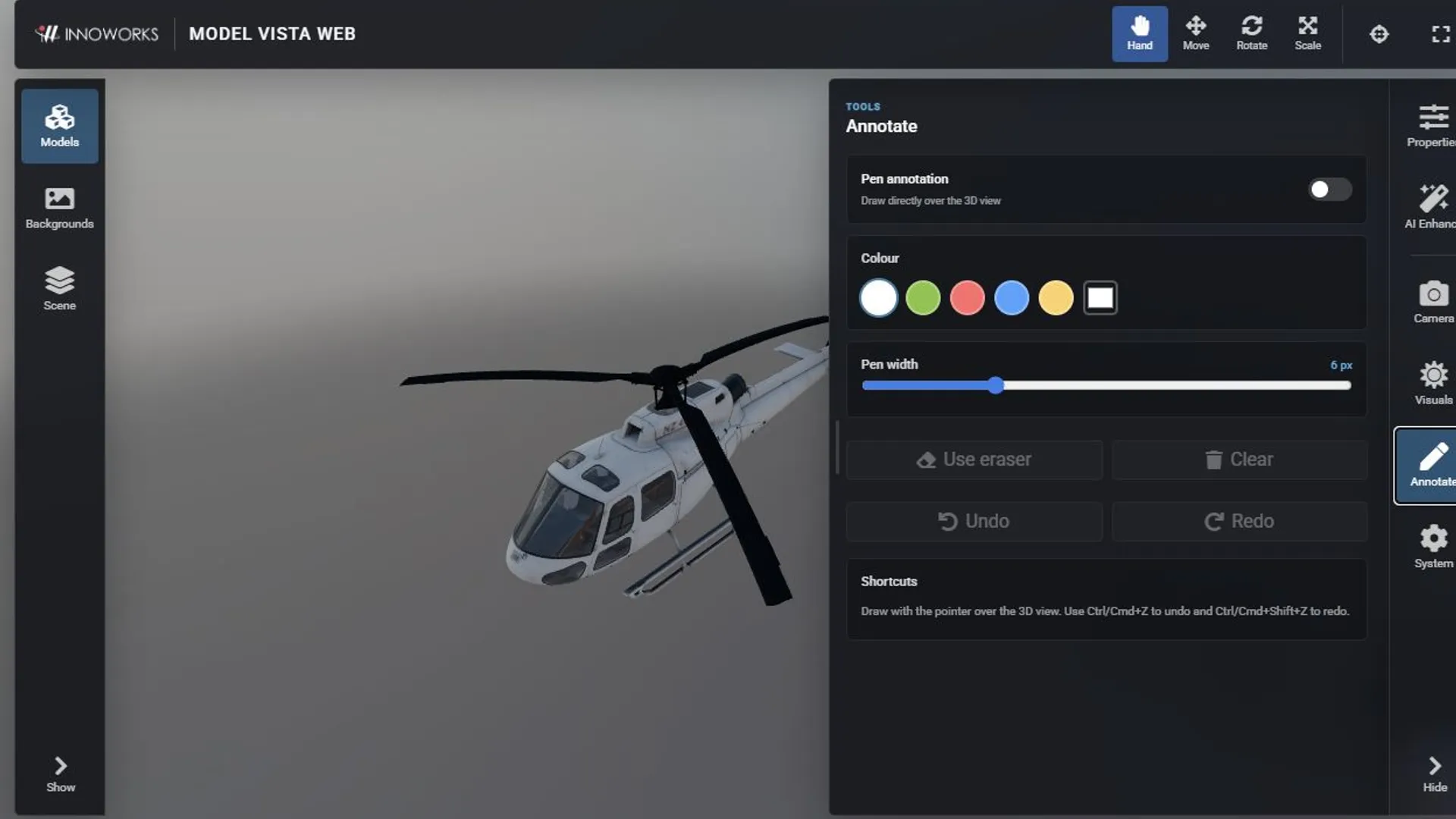
Press Ctrl+Z or Command+Z to undo an annotation. Press Ctrl+Shift+Z, Command+Shift+Z, or Ctrl+Y to redo it. While annotation mode is enabled, these shortcuts affect annotations instead of model transforms.
Annotations are an overlay and do not modify the model. When you run AI Enhance, the current annotation overlay is included in the submitted view.
Generate an enhanced image
Section titled “Generate an enhanced image”AI Enhance requires a verified account, an available daily credit balance, and a completed reCAPTCHA.
- Compose the model, camera, environment, and annotations in the 3D view.
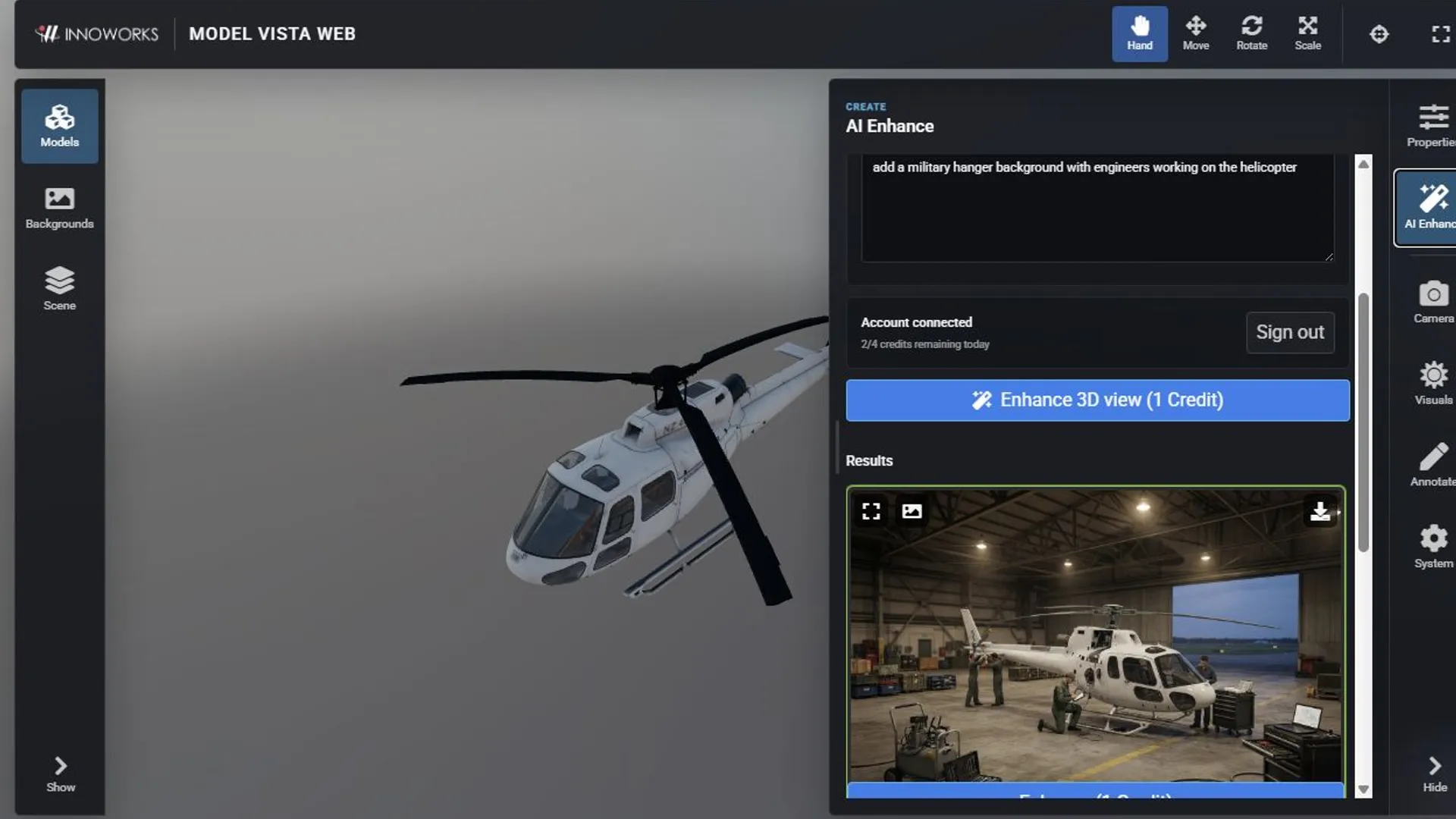
- Open AI Enhance.
- Select an image generation Model, Resolution, and Aspect ratio.
- Enter a prompt that describes the visual change you want.
- Select Sign in and complete the account dialog if the viewer is signed out.
- Review the displayed credit cost, then select Enhance 3D view.
- In Results, open a larger preview, set an image as the 3D background, download it, or select it and run Enhance again.
Models and credit cost
Section titled “Models and credit cost”| Model | Available resolutions | Credit cost |
|---|---|---|
| Nano Banana 2 Lite | 1K | 1 |
| Nano Banana 2 | 1K, 2K, 4K | 1, 2, or 4 |
| Nano Banana Pro | 1K, 2K, 4K | 2, 4, or 8 |
The button shows the cost before submission. After sign-in, the account row shows the remaining daily credits when usage information is available.
Image handling
Section titled “Image handling”The viewer states that images are sent directly between the browser and Google for generation and are not sent to an INNOWORKS server. A generated result remains available in the current viewer session until you reload or close it. Download any result you need to keep.
Generated backgrounds affect the presentation only. Select Clear generated background to return to the normal environment background.
