
Backgrounds And Environment
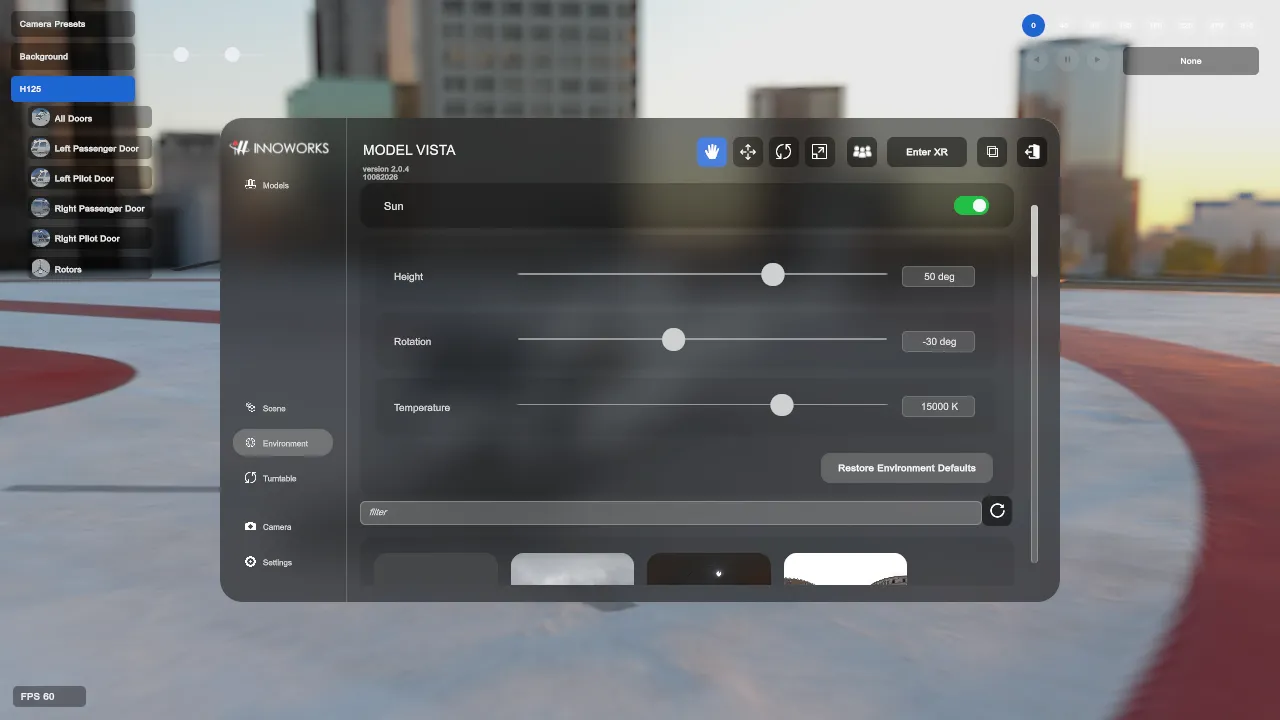
In the Default interface, open Environment. In the Experimental interface, use Backgrounds to browse and select a background; its contextual controls appear in Properties.
Sun / Moon And Lighting
Section titled “Sun / Moon And Lighting”- Under Sun, Height, Rotation, and Temperature control the directional light and sky lighting relationship.
- In the Experimental interface, related visual settings are grouped under Visuals. The persisted values are shared between interface designs.
Backgrounds
Section titled “Backgrounds”- The Background grid can show procedural, HDRI, and GLB backgrounds from configured background folders.
- Selecting a background updates the active environment and persists the last background selection.
- HDR thumbnail sidecars should be
.jpgfiles with the same base filename as the.hdrfile. - GLB thumbnails can use embedded Model Vista thumbnail data or
.jpg/.pngsidecars. - In the Experimental interface, the background inspector uses Environment, States, and Analyze tabs when they apply to the selected background.
- Licensed Modules can add background types or controls after the Module is enabled. Module behavior is documented separately.
Procedural And HDRI Settings
Section titled “Procedural And HDRI Settings”- Procedural backgrounds use sky, cloud, and fog settings from the app.
- HDRI backgrounds use sidecar settings in
<background>.modelvista.json. - HDRI settings include exposure compensation, sky rotation, backplate settings, texture offset/rotation, and an optional camera adjustment preset selection.
- Graphics snapshot sidecars use
<background>.modelvista-graphics.json, orModelVistaProceduralBackground.modelvista-graphics.jsonfor the procedural background.
Model Vista is an INNOWORKS product.